

Virtual Assistant Email Management for Small Business


Virtual assistant email management is the practice of delegating your inbox to a trained remote professional who sorts, prioritizes, drafts, and responds to messages on your behalf. A skilled VA can reclaim 13 to 15 hours of your week, time you can redirect toward sales, client work, and growth. This guide covers the specific tasks a VA handles, how human assistants compare with AI tools like Arahi AI and Hiver, what integration looks like in practice, and what you should expect to pay. Whether you are managing 50 emails a day or 500, professional email management is one of the highest-return tasks you can delegate.
What does virtual assistant email management actually include?
Email management VA tasks span a wide range, from routine inbox sorting to nuanced customer support. Most business owners underestimate how many distinct jobs live inside their inbox. A trained VA handles all of them.
The core virtual assistant tasks in email management include:
Inbox triage: Reading every incoming message, flagging urgent items, and archiving or deleting low-priority mail so you only see what matters.
Drafting replies: Writing responses in your voice using tone guidelines you provide, then sending or queuing them for your approval.
Follow-up management: Tracking threads that need a response and sending reminders so nothing falls through.
Newsletter and spam control: Unsubscribing from junk lists and keeping your inbox clean on an ongoing basis.
Customer email support: Answering common questions, routing complaints to the right person, and escalating issues that need your attention.
CRM and calendar integration: Logging email interactions in tools like HubSpot or Salesforce and scheduling meetings directly from email threads.
VAs also use tools like Grammarly to maintain professional tone and shared inbox platforms like Hiver to collaborate without sharing passwords. These tools make remote email handling both secure and consistent.
Pro Tip: Before handing off your inbox, create a short “voice guide” with three to five sample replies you have written. Your VA will match your tone far faster with real examples than with written instructions alone.

Human VAs vs. AI email tools: which one fits your business?
The choice between a human VA and an AI tool is not about which is better overall. It is about which fits your email volume, your budget, and the complexity of your communication.
Factor | AI email tools | Human virtual assistant |
Cost | $0–$50 per month | $10–$50 per hour depending on location |
Availability | 24/7 automated processing | Business hours or agreed schedule |
Judgment and tone | Rule-based, limited context | High, adapts to relationship history |
Complex customer issues | Escalates or fails | Handles with nuance and empathy |
Setup time | Low, configure rules and filters | Higher, requires onboarding and training |
Best for | High-volume, routine replies | Relationship-sensitive communication |
AI tools like Arahi AI automate inbox zero with features like priority inbox sorting, contextual reply drafting, automatic unsubscribing, and multi-account support. They work well for businesses with predictable, repetitive email patterns.
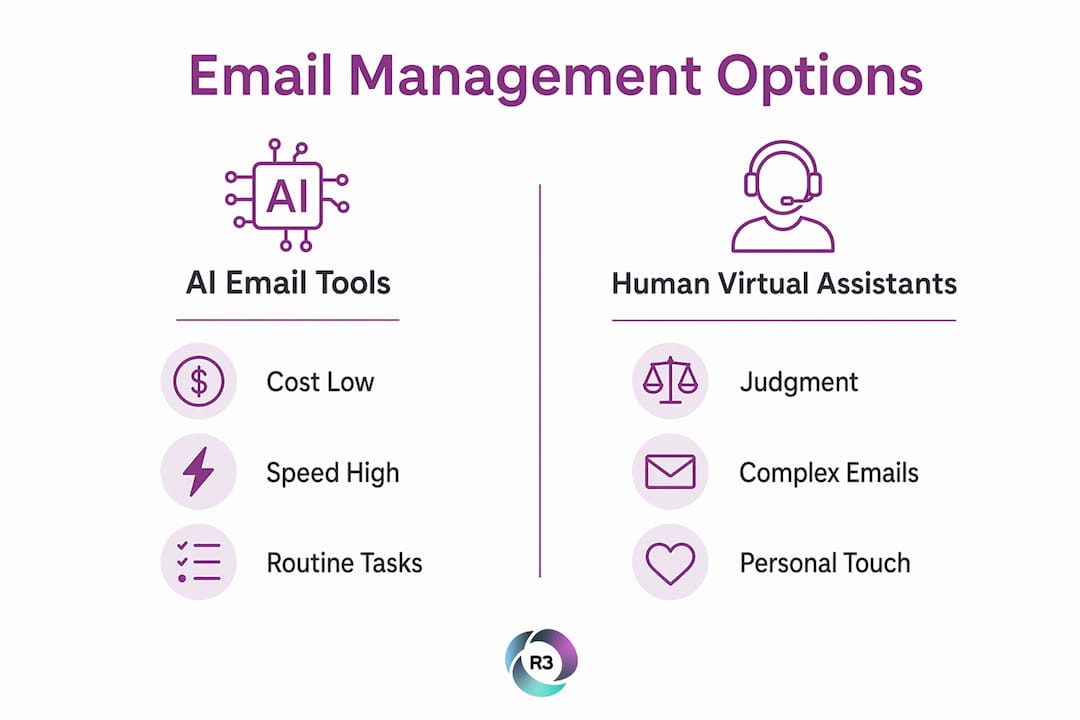
Human VAs bring something AI cannot replicate: judgment. When a long-term client sends a frustrated message, a human VA reads the relationship context and responds accordingly. AI tools categorize by urgency. Humans understand nuance.
The most effective approach for growing businesses is a hybrid model. Hybrid email management uses AI for initial sorting and volume handling, then routes relationship-sensitive or complex emails to a human VA. This combination gives you speed and quality without paying for a full-time inbox manager.
Pro Tip: Start with an AI tool to handle newsletters, spam, and routine confirmations. Then hire a part-time VA to manage replies that require a personal touch. You get the best of both without overspending on either.
How to integrate a VA into your email workflow
The biggest mistake business owners make is hiring a VA before their email process is defined. Process mapping before VA integration is the single most important step you can take. A VA manages existing systems best. They do not build systems from scratch.
Follow these steps to set up a working email delegation process:
Audit your inbox. Spend one week categorizing every email you receive. Group them by type: customer inquiries, vendor communications, internal updates, newsletters, and personal messages. This audit reveals what is safe to delegate and what requires your direct attention.
Define what to delegate. Routine replies, follow-ups, and inbox sorting are ideal tasks to delegate. Strategic decisions, sensitive negotiations, and anything requiring your signature or approval stay with you.
Set up a shared inbox. Tools like Hiver or Google Workspace shared inboxes let your VA work inside your email environment without needing your personal password. This protects your account and creates a clear audit trail.
Write your communication guidelines. Document your preferred tone, common phrases you use, and any topics that require your direct response. One page of clear rules saves hours of back-and-forth corrections.
Start with a trial period. Give your VA a defined set of email types to handle for two weeks. Review their drafts daily at first, then weekly as trust builds.
Give structured feedback. When a reply misses the mark, explain why in writing. Build a shared document of examples your VA can reference. This creates a feedback loop that improves quality over time.
Good VA onboarding practices include granting access through role-based permissions, setting response time expectations, and scheduling a weekly check-in to review performance. These habits protect your business and keep your VA aligned with your goals.
Pro Tip: Use a shared Google Doc as a living “email playbook.” Add new scenarios and approved replies as they come up. After 90 days, your VA will handle most situations without needing to ask.
What does it cost to hire a VA for email management?
Cost is the most common reason business owners hesitate. The numbers are more accessible than most expect, especially when you factor in the time you get back.
Freelance VAs on platforms like Upwork charge $10–$20 per hour. US-based assistants charge $25–$50 per hour. Full-time coverage at 20 hours per week runs $800–$1,600 per month at freelance rates. Offshore VAs, including those from the Philippines, start as low as $8 per hour, making dedicated support affordable for businesses at almost any stage.
AI email tools sit at the opposite end of the cost spectrum. Most charge $0–$50 per month for full automation features. That low cost comes with a trade-off: no human judgment, no relationship context, and no ability to handle escalations.
The ROI calculation is straightforward. If your VA reclaims 13–15 hours weekly, and your time is worth $100 per hour as a business owner, that is $1,300–$1,500 of recovered capacity every week. Even at $20 per hour for a part-time VA working 10 hours weekly, you spend $200 to recover far more in productive output.
The right choice depends on your email volume and the nature of your communication. High-volume, routine inboxes favor AI tools or offshore VAs. Complex, relationship-driven inboxes favor experienced human assistants, ideally with a hybrid setup.
Explore affordable offshore VA options if you want dedicated support without the overhead of a US-based hire.
Key Takeaways
Delegating your inbox to a trained virtual assistant is one of the fastest ways to reclaim productive hours and improve customer responsiveness without adding full-time overhead.
Point | Details |
Time recovered | A VA reclaims 13–15 hours per week, freeing you for revenue-generating work. |
Task scope | VAs handle triage, drafting, follow-ups, spam control, and CRM integration. |
Human vs. AI | AI tools handle volume; human VAs handle nuance. A hybrid model delivers both. |
Cost range | Offshore VAs start at $8/hr; AI tools cost $0–$50/month for routine automation. |
Integration first | Map your email workflows before hiring. VAs manage systems, not build them. |
What I have learned from watching businesses delegate their inboxes
The pattern I see most often is this: a business owner waits too long, then delegates too fast. They hire a VA, hand over inbox access with minimal guidance, and then feel frustrated when replies sound off-brand or miss the point. The VA is not the problem. The missing process is.
The businesses that get the most from outsourced inbox management are the ones that spend two or three hours upfront writing clear guidelines. They document their tone. They list the email types that need escalation. They build a short playbook. After that, the VA runs almost independently within a few weeks.
I have also seen the hybrid model work exceptionally well for service businesses. A real estate agency I know uses Arahi AI to sort and label every incoming email, then routes anything from active clients to a human VA who responds with full context. Their response time dropped from 24 hours to under two hours. Their client satisfaction scores went up. Neither the AI nor the VA alone would have produced that result.
The one thing I would push back on is the idea that email management is a low-skill task. Drafting a reply to a frustrated customer, deciding what to escalate, and maintaining your brand voice across hundreds of messages requires real judgment. Hire for that judgment. Train for your specifics. And give your VA the tools and feedback they need to represent you well.
— Ellis
R3source virtual assistants for professional email management
R3source provides dedicated remote professionals from the Philippines who specialize in administrative support, including full inbox management for small businesses across the United States. Each VA is trained to integrate directly into your existing workflow, handling triage, drafting, follow-ups, and customer email support from day one.
Offshore VA services through R3source start at rates that make dedicated support accessible well before you are ready to hire in-house. You get consistent performance, long-term reliability, and a professional who learns your business over time, not a rotating pool of freelancers.
If you are ready to build a support system that handles your inbox and frees you to focus on growth, explore your options with R3source today.
FAQ
What tasks does a virtual assistant handle in email management?
A VA handles inbox triage, drafting replies, managing follow-ups, unsubscribing from spam, and routing customer emails to the right person. Some VAs also log email interactions in CRM platforms like HubSpot or Salesforce.
How much does a virtual assistant for email management cost?
Freelance VAs charge $10–$50 per hour depending on location and skill level. Offshore VAs start as low as $8 per hour, while AI email tools cost $0–$50 per month for automated inbox handling.
Is an AI tool or a human VA better for managing emails?
AI tools handle high-volume, routine emails with speed and low cost. Human VAs handle complex, relationship-sensitive communication with judgment and context. A hybrid model combining both delivers the strongest results for most small businesses.
How do I prepare my business to hand off email management?
Map your email types before hiring, write a one-page tone and response guide, and set up a shared inbox tool like Hiver or Google Workspace. Clear processes make VA integration faster and more effective.
How many hours per week can a VA save me on email?
A dedicated email management VA reclaims an average of 13–15 hours per week for business owners, based on typical inbox volumes and task scope.
Recommended
Comments